Convert music to 432 Hz — exactly, not approximately.
Most 432 Hz converters assume every song starts at 440 and shift blindly — if the source isn't really 440, the result isn't really 432. HZ Detect measures each song first, then converts from its measured tuning, so every track lands exactly on target.
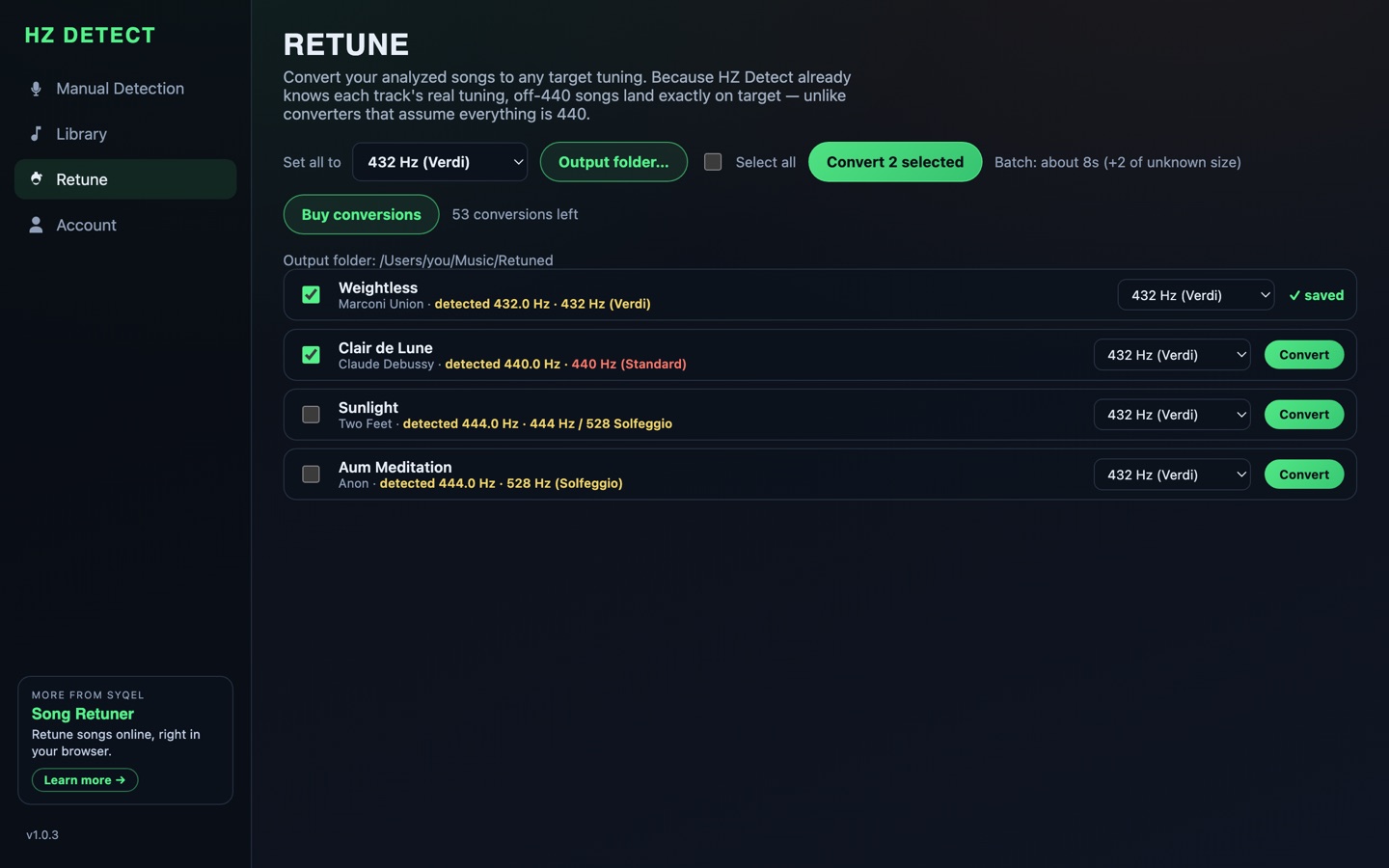
Point the app at your music folders. Every song gets measured and labeled — 440, 432, 444, Solfeggio — with standard-tuned tracks highlighted. Unlimited and free.
Convert one song, an album, or everything at 440. Songs the analyzer marked "Uncertain" are excluded automatically, so you never pay for a guess.
Retuned copies are written to a folder you choose as lossless WAV. Your original files are never touched.
Free in the browser.
For a quick single file, Song Re-Tuner converts an MP3 or WAV to 432 Hz in your browser, free. For streaming instead of files, see every retuning option.
Check it first.
Some tracks are already 432. Run the free 432 Hz checker before you convert — detection is always free, on every platform.
432 Hz conversion — common questions
Is the 432 Hz converter free?
Analyzing your library is free and unlimited. Converting uses credits: new accounts get 5 free conversions, then packs start at $9.99 for 25 songs. For a quick single file in the browser, Song Re-Tuner is free.
Does converting to 432 Hz lose quality?
HZ Detect writes retuned copies as lossless WAV files and never modifies your originals. The pitch shift itself is small (about 32 cents from 440), applied with high-quality resampling.
Why does measuring first matter?
Most converters assume every source is 440 Hz and apply a fixed shift. If your source is actually 444, 432 already, or anything else, a blind shift lands off target. HZ Detect measures each song, then converts from its real tuning — so the result is exactly 432 Hz.
Can I convert my whole library at once?
Yes — batch conversion is the desktop app's specialty. Analysis labels every song first (free), you select what to convert, and retuned WAV copies are written to a folder you choose.
Can I listen at 432 Hz without converting files?
Yes: HZP re-tunes any song in real time on every device you own — web, desktop, phone, TV, even your car — and Retuner Pro retunes live audio from any app on Mac and Windows.
Targeting 528 Hz or another Solfeggio tone instead? Use the Solfeggio frequency converter.