Nov 26, 2025
Tuning clarity, no guesswork
Know the real tuning of any music track.
Streaming platforms don't validate tuning claims — anyone can label an upload "432 Hz." HZ Detect measures what's actually there. Check a track below right now, free.
Pitch & A4 Tuning Analyzer
Live note capture + tuning table match
--
0.00 Hz
Flat (-50) Concert Pitch (0) Sharp (+50)
A4 Reference ~ ... Hz
Input device
Start detection
Place your mic near the music source for the most accurate read.
Input Mic · Tab · Desktop audio Analysis On-device Detects 440 · 432 · Solfeggio
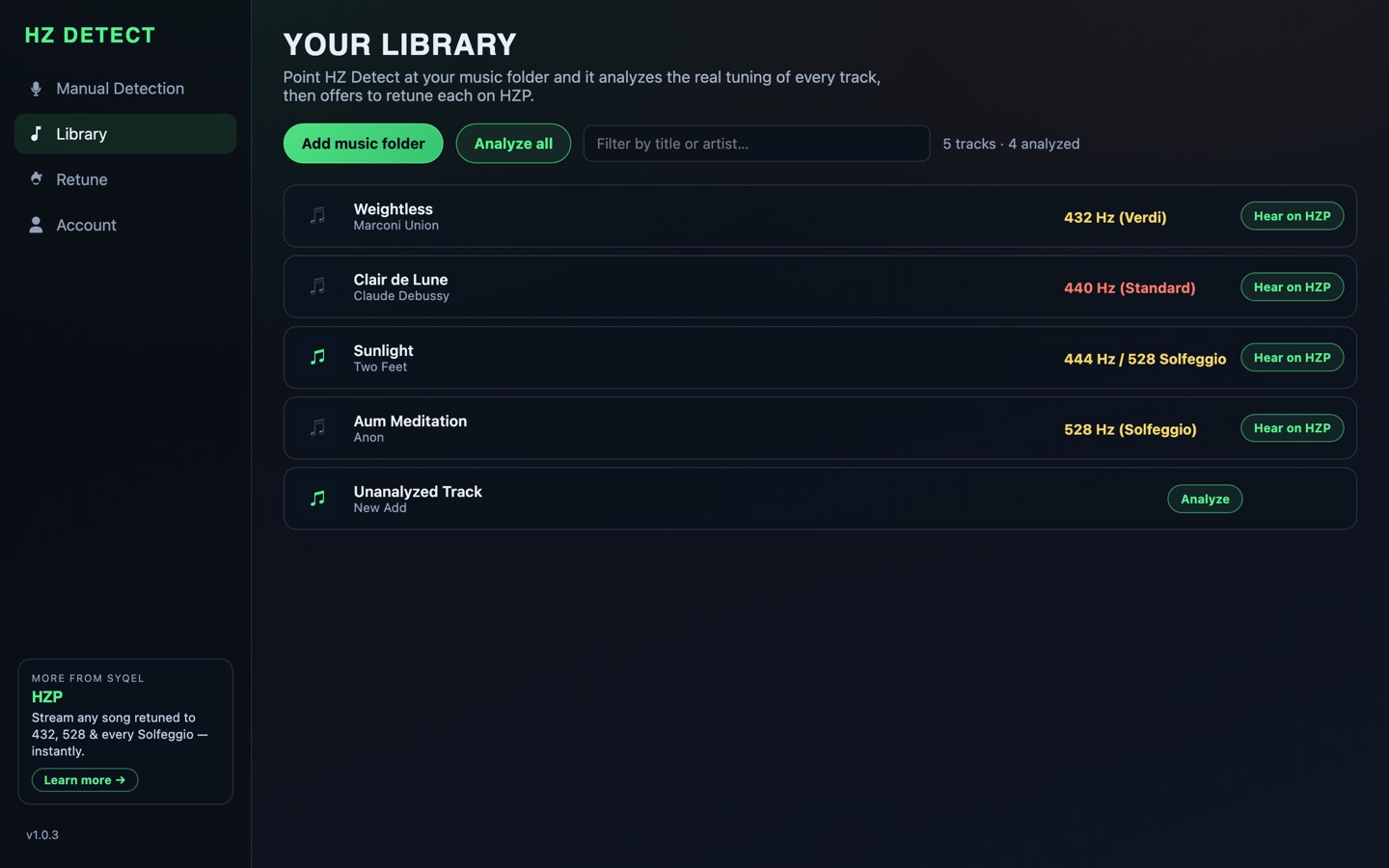
Analyze & retune your entire library with 1 click
The desktop app does this for your entire music library — every song measured, and any song retuned from its measured tuning to your target, automatically.
One detector, everywhere you listen
Which HZ Detect do you need?
★ The flagship — Mac & Windows
Your whole library, analyzed. Then retuned.
Point it at your music folders: free analysis labels every song's true tuning, and retuning converts the ones stuck at standard 440 — from their measured tuning to 432, 528, or any Solfeggio target.
Mobile
Point your phone at whatever is playing: it names the song and measures its tuning, free. iOS & Android.
Get the mobile appExtension
Detects while you stream — YouTube, or any app via desktop audio. Free on Chrome.
Get the extensionWeb tool
The detector above — no install, instant answer through mic, tab, or desktop audio.
Open the web detectorThe core problem
Uploads are labeled by users, not validated by platforms.
People upload "432 Hz" or "Solfeggio" tracks with no verification, leaving you guessing unless you measure the tuning yourself. Detect first — then trust what you heard, not what the title says.
Read how detection worksWhat to do next
Detect first, retune for certainty.
If the result isn't your target, retune your own file — the only guaranteed way to listen at 432 Hz or any Solfeggio frequency. The desktop app retunes from each song's measured tuning for exact results.
Retune your musicFrom the learning center
Nov 22, 2025
Nov 18, 2025